
SafeTransfer
The file transfer service your company owns.
Your clients’ files deserve better than a consumer service. SafeTransfer is your own platform for sending large and confidential files. Encrypted in your browser, hosted in Switzerland.
How it works
Three steps, no account needed.
A file too large for email all too often ends up on a consumer transfer service that the company does not control. SafeTransfer offers the same simplicity, on a platform your company owns.
1
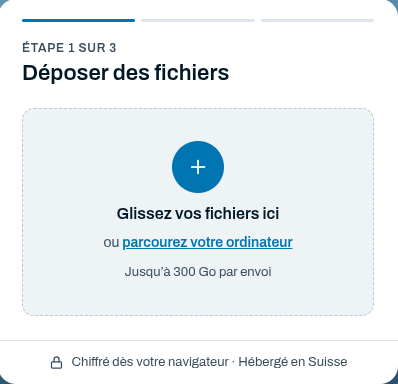
Drop your files
One or more files, by drag and drop, even very large ones.
2
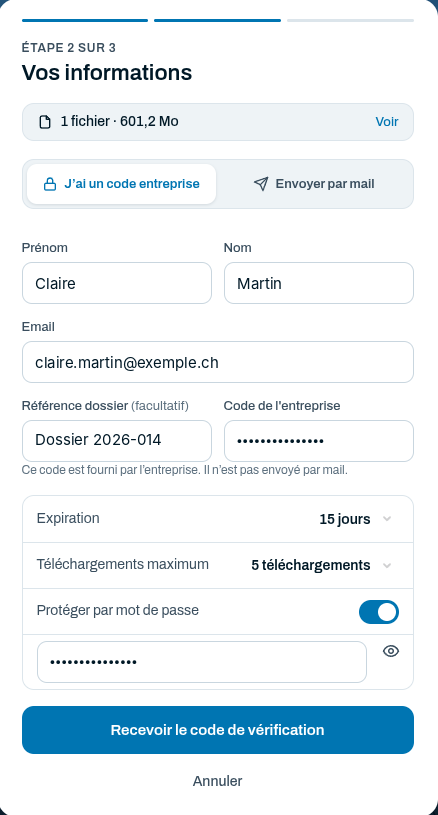
Enter your details
Company code or send by email; expiry, number of downloads and an optional password.
3
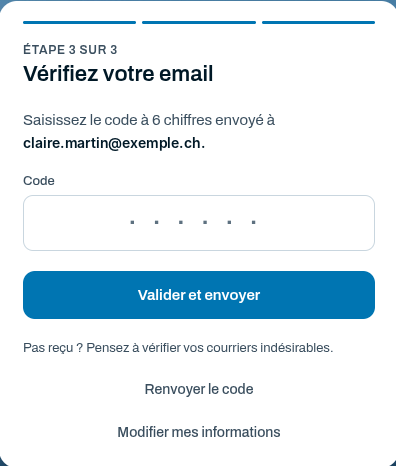
Confirm the code
A 6-digit code sent by email confirms the sender’s identity before the files are sent.
Two uses
One platform, two ways to use it.
Designed first for fiduciaries, law and notary firms, practices, HR departments and SMEs that regularly receive confidential documents. The more limited public mode opens the platform to your contacts.
Receive documents from your clients
Your clients, employees and service providers upload their files with your company code. Transfers go straight to the right people, with a case reference if needed. No need to open guest access to your cloud for every provider.
Send files by email
If you enable it, public mode lets anyone send files free of charge to the recipients of their choice, within usage limits that you set. Disposable addresses are refused and every email includes a link to report abuse.
An instance sized for your volumes. The maximum transfer size is set to suit your company’s needs, up to tens or even hundreds of gigabytes.
Security and confidentiality
Your data stays under your control.
Each SafeTransfer instance is dedicated to a single company, in its own branding, with its own recipients.
Encrypted in your browser
Files are encrypted on the sender’s computer before they are sent.
Hosted in Switzerland
SafeTransfer instances are operated by Netfine, in Switzerland.
Links that expire
Limited lifetime and number of downloads, optional password.
Verified senders, traceable transfers
Identity confirmed by email and an audit log in the console.
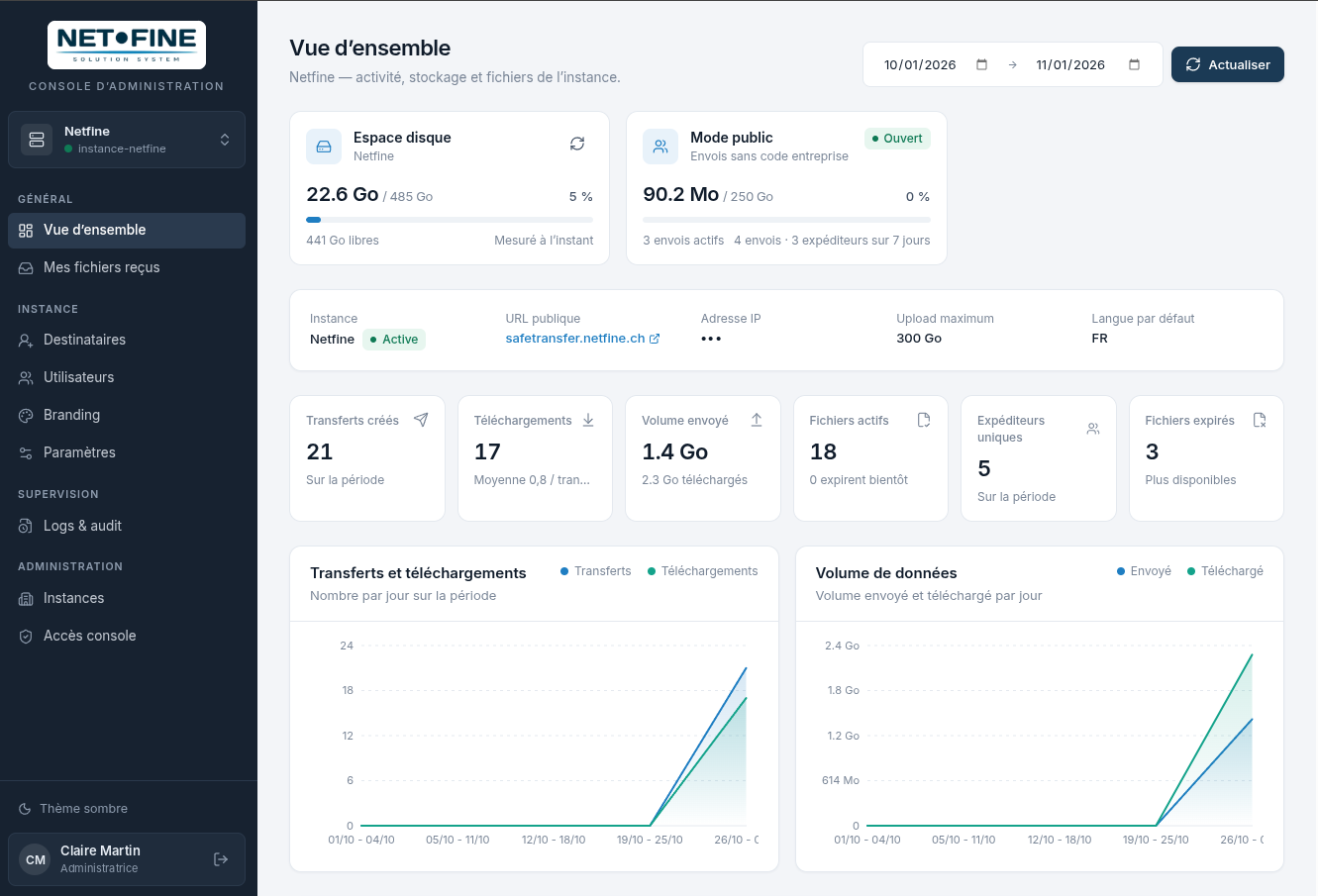
Public mode limits (size, volume, disk space) can be adjusted by the instance administrator.
The management console
One space to manage, one space to receive.
Administrators manage the instance: statistics, company codes and recipients, users, logo and background image, settings and audit log.
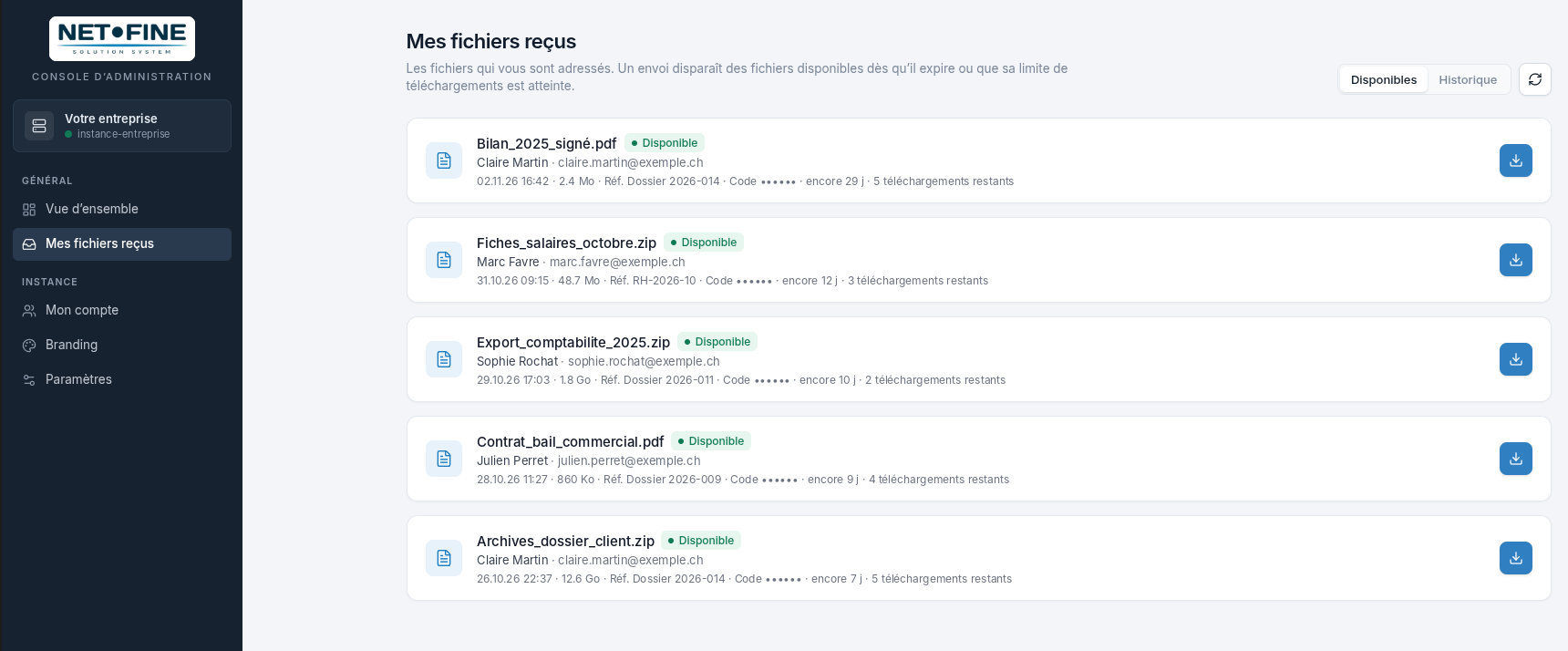
Employees have limited access, without the administration menus:
- All received files in one place
- Files still available, at a glance
- Direct download from the console
- No more searching through emails to find a transfer

A SafeTransfer instance for your company?
SafeTransfer is offered and set up by our distributors and partners. Contact us and we will put you in touch with the right person.